

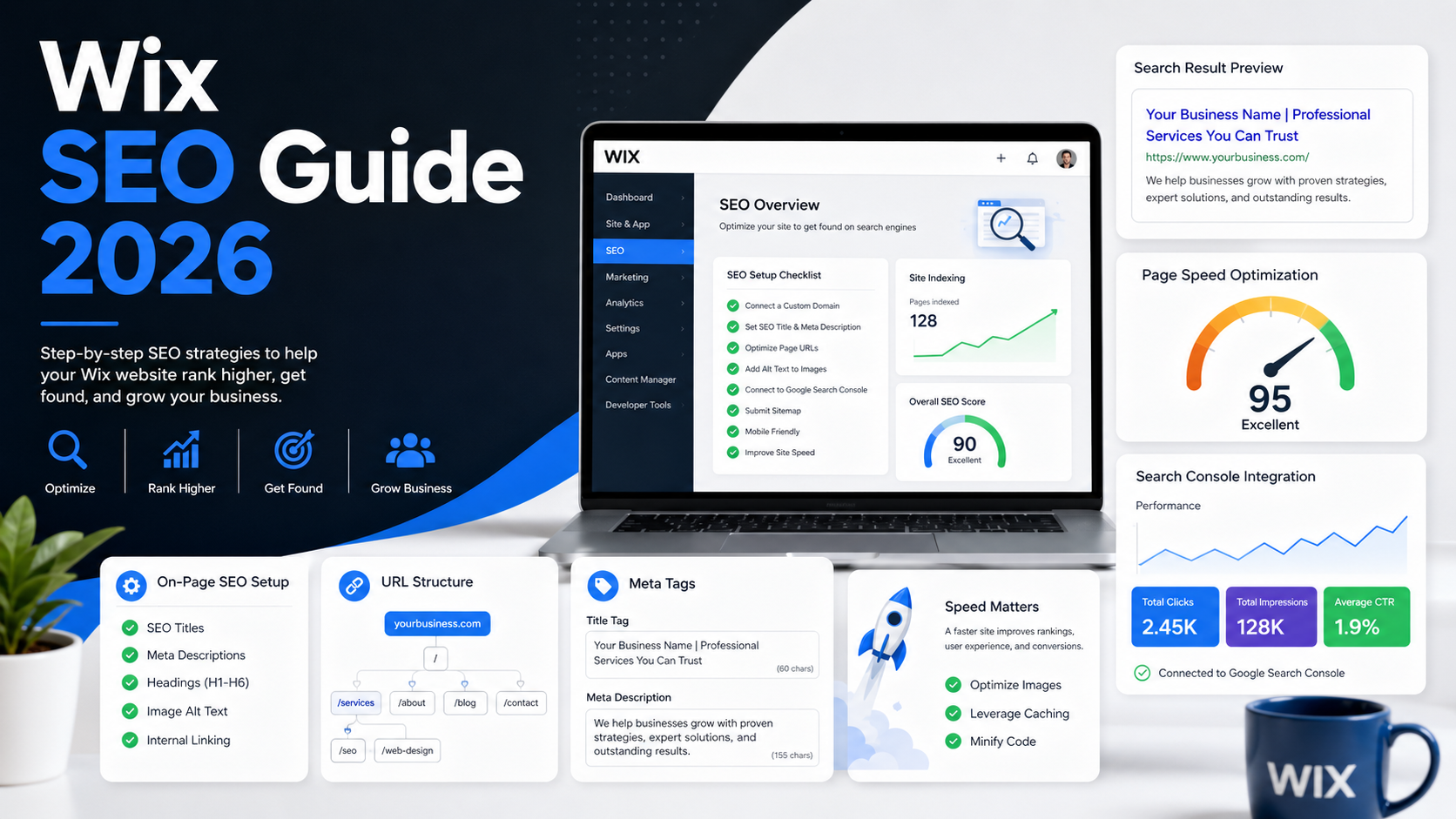
Yes, Wix can be SEO-friendly when your site is set up correctly. To improve your Wix SEO in 2026, start with the Wix SEO Setup Checklist, optimize every important page’s title tag, meta description, URL slug, headings, content, and images, improve site speed, connect Google Search Console, submit or confirm your sitemap, and monitor indexing and performance over time.
Wix includes built-in SEO tools for page titles, meta descriptions, URL slugs, structured data, robots meta tags, redirects, sitemaps, and Google integration. But rankings do not come from the platform alone. Google’s own SEO Starter Guide explains that SEO is about helping search engines crawl, index, and understand your content, and there is no guarantee that any specific site will be added to Google’s index.
Quick Wix SEO checklist for 2026
1. Start with the Wix SEO Setup Checklist
The first step is to open Wix’s SEO Setup Checklist. Wix describes this as a step-by-step checklist designed to improve your site’s SEO based on your business information and keywords. It can also help connect and verify your site with Google so your site can appear in search results.
To create the checklist, Wix says you answer a few basic questions, including your business name, whether you serve customers from a physical address or online, and keywords that describe your business.
What to add before running the checklist
Before starting, prepare:
- Your business name
- Your main location or service area
- Three core keywords
- Your main services or products
- Your target audience
- Your preferred homepage title
- Your contact details
Example
For a local plumbing company:
The SEO Setup Checklist is a starting point, not the entire SEO strategy. Use it to get the basics in place, then continue with the page-level optimizations below.
2. Set up your core on-page SEO
On-page SEO means optimizing the visible and behind-the-scenes elements of each page so search engines and users understand what the page is about.
Wix lets you customize each page’s title tag, meta description, and URL slug in the SEO Panel. Wix also says it automatically adds default SEO settings, but you can override those defaults with custom values.
On-page SEO elements to optimize
Example service page structure
For a Wix page targeting “emergency plumber Austin”:
- H1: Emergency Plumber in Austin
- Short answer: 24/7 plumbing help for leaks, clogs, burst pipes, and urgent repairs
- Services covered
- Areas served
- Why choose us
- Reviews or trust signals
- FAQ
- Contact CTA
This structure is useful for SEO because it gives the page a clear topic, supports user intent, and creates sections that search engines can understand.
3. Optimize URL structure
A clean URL helps both users and search engines understand the page before they click.
Google recommends creating a simple, logical URL structure that is intelligible to humans. Wix lets you edit URL slugs for pages, and Wix also supports URL structure customization for Wix Stores product pages and Wix Blog posts in SEO Settings.
Good vs bad Wix URLs
URL best practices
Use:
- lowercase words
- hyphens between words
- clear topic keywords
- short, readable slugs
- stable URLs you will not need to change often
Avoid:
- random numbers
- unnecessary dates
- keyword stuffing
- long sentence-style URLs
- changing URLs after pages already rank
What if you change a Wix URL?
If you change a URL slug, set up a 301 redirect. Wix says you can let Wix automatically create a redirect when you update a page’s URL slug or use the URL Redirect Manager manually.
A redirect matters because it sends visitors and search engines from the old URL to the new one.
4. Write better title tags
A title tag is the title that search engines may use as the clickable title link in search results. Google says it uses several sources to determine title links, but site owners can influence them by following title best practices.
Wix lets you add title tags from the page SEO basics settings. Wix’s instructions say to go to the editor, open Pages & Menu, choose the page, click SEO basics, enter the title tag, add the meta description, and publish.
Title tag formula
Use this simple format:
Primary Keyword or Page Topic | Brand Name
Examples
Title tag tips
- Keep it clear and specific.
- Put the main topic near the front.
- Do not stuff multiple keywords.
- Include your brand when useful.
- Make each important page unique.
5. Write meta descriptions that earn clicks
A meta description is a short summary of a page. Google says it may use the meta description tag to generate a snippet when it gives users a more accurate description than the page content alone. Google also says a good meta description should inform and interest users with a short, relevant summary.
Meta description formula
Use this format:
Explain what the page offers + who it helps + why to click.
Examples
Meta description tips
- Write for humans first.
- Match the page content.
- Include the primary topic naturally.
- Add a reason to click.
- Avoid duplicating the same description across pages.
6. Improve headings and page content
SEO is not just metadata. Your visible content matters more.
Each page should clearly answer:
- What is this page about?
- Who is it for?
- What problem does it solve?
- What makes this business credible?
- What should the visitor do next?
Google’s SEO Starter Guide focuses on helping search engines understand your content. That means business owners should write clear, useful, specific page content instead of thin pages with only a few generic lines.
Recommended heading structure
Example
For a Wix page about bookkeeping services:
- H1: Bookkeeping Services for Small Businesses
- H2: Monthly Bookkeeping
- H2: Payroll Support
- H2: Tax-Ready Reports
- H2: Why Work With Us
- H2: Bookkeeping FAQ
- H2: Request a Consultation
This structure helps readers scan and helps search engines identify the page’s main topics.
7. Add internal links
Internal links help visitors move through your site and help search engines understand relationships between pages.
For a business Wix site, link:
- homepage to key service pages
- service pages to contact page
- blog posts to relevant services
- location pages to services
- FAQ pages to deeper resources
- product pages to related products or categories
Example internal linking plan
Use descriptive anchor text. Instead of “click here,” use “bookkeeping services,” “Wix SEO checklist,” or “request a quote.”
8. Optimize images for SEO and speed
Images can support SEO, accessibility, and conversions, but large image files can slow a site down.
Google says it extracts image information from page content, captions, image titles, and surrounding context, and recommends using descriptive filenames and alt text.
Wix image optimization checklist
- Use relevant images.
- Rename image files before upload.
- Add descriptive alt text.
- Compress large images.
- Avoid uploading oversized images.
- Do not use images for important text.
- Limit heavy galleries on important landing pages.
Wix’s performance guidance also recommends using the Site Speed dashboard to identify performance issues, keeping critical above-the-fold elements lightweight, limiting galleries, and monitoring the mobile design.
Example image filename and alt text
9. Improve Wix site speed
Site speed matters because it affects user experience. Google defines Core Web Vitals as real-world user experience metrics for loading performance, interactivity, and visual stability.
The current Core Web Vitals metrics are:
Google’s PageSpeed Insights documentation states that Core Web Vitals are INP, LCP, and CLS, and that passing is based on good 75th percentile results across the metrics when enough data is available.
Wix speed optimization checklist
Use Wix’s Site Speed dashboard to test, analyze, and optimize site performance for desktop and mobile. Wix says the dashboard can monitor speed, compare your site with other businesses in your category, and provide actionable tips.
To improve Wix speed:
- Compress large images.
- Reduce unnecessary animations.
- Avoid too many third-party embeds.
- Limit heavy galleries.
- Keep above-the-fold content lightweight.
- Use fewer font families and font weights.
- Remove unused apps or scripts.
- Check mobile performance separately.
- Test important pages with PageSpeed Insights.
Wix also says it uses lazy loading to improve loading time by loading lower-resolution placeholders first while high-resolution content loads in the background.
Important note
Good Core Web Vitals do not guarantee rankings. Google says strong page experience can contribute to success in Search, but relevance remains critical and good scores alone do not guarantee top rankings.
10. Connect Wix to Google Search Console
Google Search Console is essential for Wix SEO because it shows how Google crawls, indexes, and serves your website. Google describes Search Console as a tool that helps site owners understand performance in Google Search and improve search appearance to bring more relevant traffic.
Wix lets you verify your site through the SEO Setup Checklist or manually through Site Verification. Wix’s manual verification instructions say to go to SEO & GEO in your Wix dashboard, open Tools and settings, select Site Verification, expand Google Search Console, enter the meta tag, and save.
What to check in Search Console
URL Inspection
Google’s URL Inspection tool shows information about Google’s indexed version of a page and can test whether a live URL may be indexable. It also lets you request indexing for a URL.
Use URL Inspection after:
- publishing a new important page,
- updating a key service page,
- fixing an indexing issue,
- changing a URL,
- or troubleshooting why a page is not appearing in Google.
11. Submit or verify your Wix sitemap
A sitemap helps Google discover your important URLs.
Wix says that when you complete the SEO Setup Checklist, Wix automatically submits your sitemap index to Google, and when you make changes to your site, your sitemap is automatically updated.
If you want to manually submit a sitemap, Wix says to go to Google Search Console, select your site, open Sitemaps, enter sitemap.xml, and click Submit. Google’s sitemap documentation also says you can submit a sitemap in the Search Console Sitemaps report to see when Googlebot accessed it and whether there were processing errors.
Wix sitemap checklist
- Confirm your site is connected to Google.
- Check that your sitemap is available at /sitemap.xml.
- Submit sitemap.xml in Search Console if needed.
- Check the Sitemaps report for errors.
- Do not submit pages you intentionally noindex.
12. Use robots meta tags carefully
Wix allows robots meta tag editing in advanced SEO settings for certain page types and SEO settings. Wix’s SEO settings documentation says advanced settings can include structured data markup, robots meta tags, and additional tags.
Use robots settings carefully.
Common robots decisions
Do not noindex pages you want to rank.
13. Add structured data where appropriate
Structured data helps Google understand page content. Google says it uses structured data found on the web to understand page content and gather information about entities such as people, organizations, products, and other things.
Wix allows structured data editing in SEO settings, and Wix states that users can modify structured data markup and other SEO settings.
Good structured data fits for Wix sites
Use structured data only when it matches visible page content. Rich results are not guaranteed.
14. Build local SEO signals if you serve a location
For local businesses, Wix SEO should include local relevance.
Add:
- business name
- address or service area
- phone number
- opening hours
- service-area pages
- embedded map if useful
- local testimonials
- locally relevant FAQs
- Google Business Profile link or consistency
Example local page title
Wedding Photographer in Miami | Brand Name
Example local H1
Wedding Photographer in Miami
Example local meta description
Looking for a wedding photographer in Miami? View our portfolio, packages, and availability for weddings across South Florida.
For local SEO, consistency matters. Use the same business name, address, and phone number across your website and major local profiles.
15. Track results and improve monthly
SEO is not a one-time setup. After your Wix site is connected to Search Console, review performance every month.
Monthly Wix SEO review
What to improve first
Prioritize pages that:
- already get impressions,
- rank on page 2 or lower page 1,
- have low click-through rates,
- target high-value services,
- or convert visitors into leads or sales.
Small improvements to pages that already have visibility often produce faster wins than creating brand-new content from scratch.
Common Wix SEO mistakes to avoid
1. Relying only on the SEO Setup Checklist
The checklist is helpful, but SEO also needs content, internal links, speed, authority, and ongoing monitoring.
2. Using the same title tag on every page
Every important page should have a unique title.
3. Publishing thin service pages
A service page with two sentences is unlikely to compete for meaningful queries.
4. Changing URLs without redirects
Use redirects when URLs change. Wix supports automatic or manual 301 redirects for changed URL slugs.
5. Ignoring mobile speed
Many users visit on mobile first. Test key pages on mobile, not only desktop.
6. Forgetting Search Console
Without Search Console, you are guessing. Use it to see what Google can index and what search queries already trigger your pages.
Final Wix SEO Checklist for 2026
Final Summary
Wix SEO in 2026 is not about finding one magic setting. It is about building a clean, useful, fast, well-structured website that Google can crawl, understand, and evaluate.
Start with the Wix SEO Setup Checklist. Then optimize your page titles, meta descriptions, URL slugs, headings, content, images, internal links, speed, sitemap, and Search Console setup. After publishing, use Google Search Console to monitor indexing, clicks, impressions, and page experience issues.
CTA: Start with your five most important Wix pages: homepage, top service page, top product page, about page, and contact page. Optimize those first before expanding to blog posts or advanced SEO work.
FAQ
Is Wix good for SEO in 2026?
Yes, Wix can be good for SEO when configured properly. Wix includes built-in tools for title tags, meta descriptions, URL slugs, structured data, robots meta tags, sitemaps, redirects, and Google connection.
How do I set up SEO on Wix?
Start with the Wix SEO Setup Checklist. Wix says the checklist creates a step-by-step SEO plan based on your business information and keywords, and it can help connect and verify your site with Google.
How do I edit title tags and meta descriptions in Wix?
Go to the Wix editor, open Pages & Menu, choose the relevant page, click SEO basics, add the title tag and meta description, then publish.
Can I change Wix URL slugs?
Yes. Wix lets you customize URL slugs, and it also supports URL structure customization for Wix Stores product pages and Wix Blog posts in SEO Settings.
Does Wix automatically create a sitemap?
Yes. Wix says its sitemap is automatically updated when you make site changes, and completing the SEO Setup Checklist automatically submits the sitemap index to Google.
How do I submit a Wix sitemap to Google?
In Google Search Console, select your site, open Sitemaps, enter sitemap.xml, and click Submit. Wix provides this same manual submission workflow in its support documentation.
How do I connect Wix to Google Search Console?
You can connect through the Wix SEO Setup Checklist or manually verify using the Site Verification tool in the SEO & GEO dashboard. Wix’s manual method uses a Google Search Console meta tag.
How do I improve Wix site speed?
Use the Wix Site Speed dashboard, optimize images, limit heavy galleries, keep above-the-fold elements lightweight, reduce unnecessary apps and scripts, and test mobile performance. Wix’s performance documentation recommends these types of improvements.